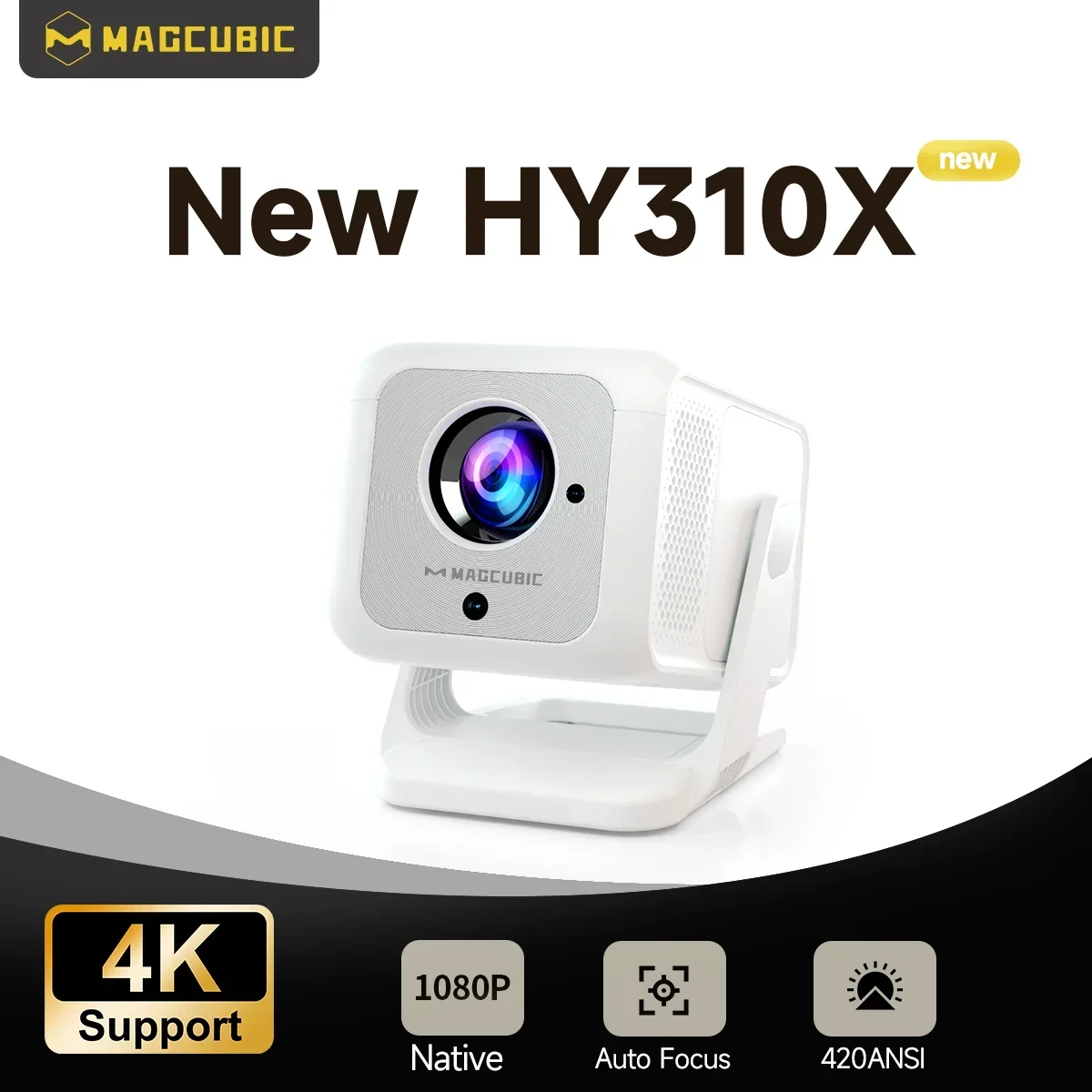
Electrónica
Magcubic HY310X 4K 420ANSI Android 11 Auto Focus Keystone Mini Projector with Full HD 1080Pfor Outdoor Theater Stand Projector
Envío Internacional$98.17
Envío gratis
200344144
Últimas unidades: 1 unidad
SKU: 3256806830182176
$57.34
Precio final con envíoEl impuesto, si aplica, se confirma en el checkout según tu dirección. Aquí ves producto, fee y envío.
Envío EE.UU.: USPS / UPS Ground.
Costo Visible: Sin sorpresas ocultas.
Tracking Real: Alertas por SMS/Email.
Pago Seguro: Cifrado por Stripe.
Sin sorpresas ni comisiones ocultas antes de pagar.
Te notificamos cada cambio de estado automáticamente.
Enlace oficial con número de guía verificado.
Política transparente de ajuste de precios y gestión de cambios.
| Atributos del producto | Brand Name: LOMEHO, High-concerned chemical: none, Inbox adaptor: Yes, Origin: Mainland China, Voltage range: Low voltage non-USB (below 75V DC, below 50V AC), Built-in Battery: No, Power Source: DC, Certification: CE, Type: Mixers, Model Number: AM-AX3 |
|---|---|
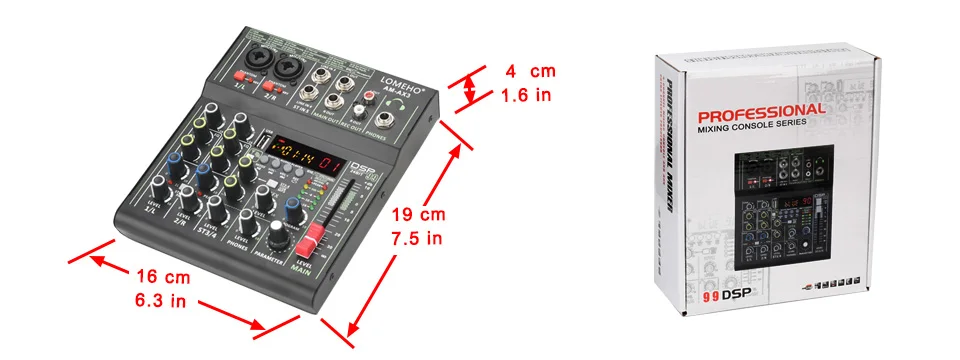
| Tamaño del paquete | 310×250×80 mm |
AM-AX3
Mini 4 Channel Audio Mixer Individual +48V Phantom Power 99 DSP Effects Bluetooth USB Computer Play Record Mixing Console

1. Power supply: DC 12V 2A.
2. 4 Channel mixing console.
3. Bluetooth function.
4. 99 DSP Effects.
5. USB Play and Record.
6. Computer play and record.
7. Individual +48V phantom power.
8. Mini, portable.
DC 12V 2A, EU plug.
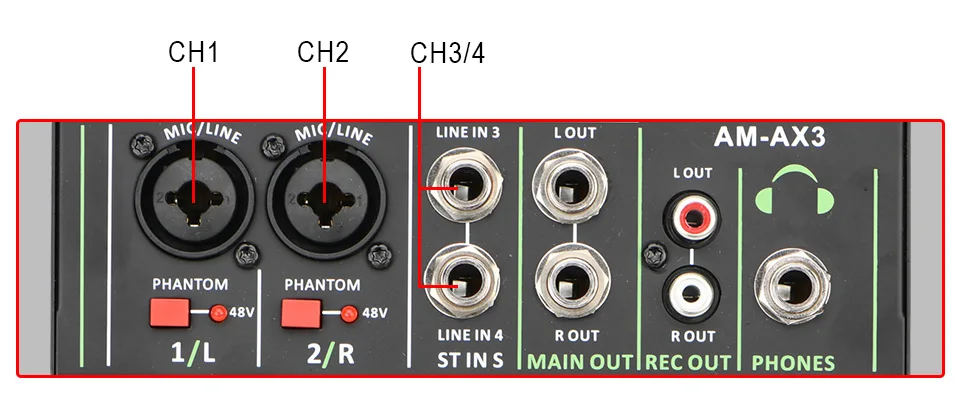
4 Channels
1). CH1/2 are Mono channels, CH3/4 is stereo channel.
2). For signal from CH1/2, L/R of main out will output same signal.
3). For signal from CH3, L of main out will output the signal, R will not output signal.
4). For signal from CH4, R of main out will output the signal. L will not output signal.
For these device, mixer can not supply working power, device can not work normal though you use plug adapters.


1. Mixer only can accept bluetooth signal, it can not send out bluetooth signal.
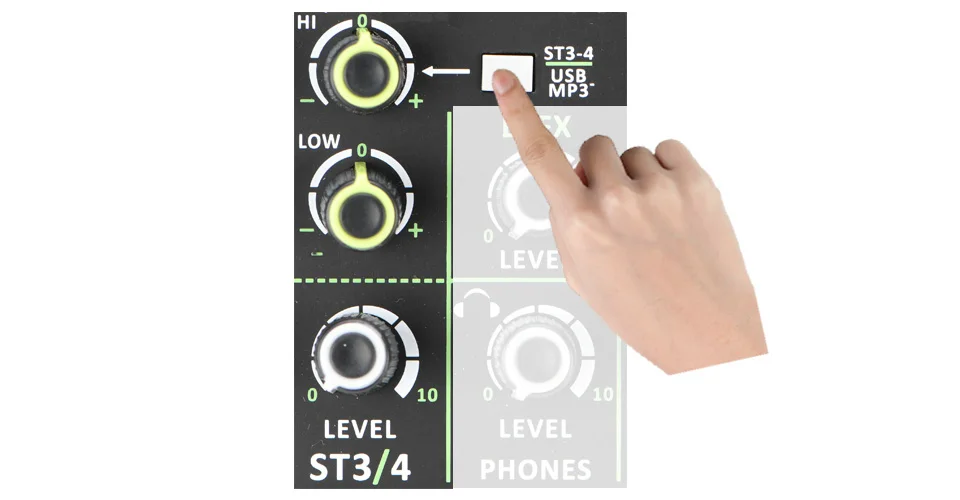
2. After pairing, please press down "ST3-4/USB MP3" button, then you can adjust the signal from CH3/4 to main output.


1. Parameter: Choose effect.
2. Program: Adjust parameter.
3. Level: Adjust the output level.

Connection with U-Disk
(U-Disk is not included,buyer need buy it by himself)
1. U-Disk format: FAT32 ( Do not support NTFS).
2. Play format: MP3, WMA,WAV,FLAC.
3. Record format: MP3.
(Before recording, please copy a song in the U disk, otherwise, the disk may not be possible to record).
4. Sampling frequency: 16 Bit 48KHz.
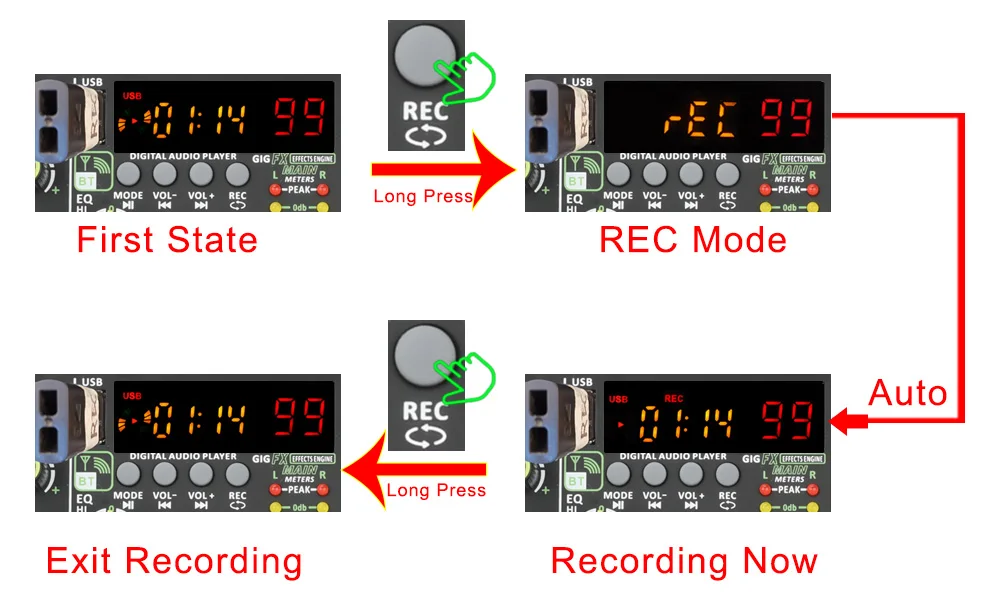
(1) Long press "REC" button to switch to recording mode, U-DISK will record automatically.
(2) Long press "REC" to exit the recording, and start playing the latest recording file.
6. Please press down "ST3-4/USB MP3" button, then you can adjust the signal from CH3/4 to main output.

Connection with PC
(USB cable is not included, buyer need buy it by himself).
1. Computer play
Buyer downloads music play software, and choose mixer as speaker. Then computer music signal will come into mixer.
Please press down "ST3-4/USB MP3" button, then you can adjust the signal from CH3/4 to main output.
2. Computer record
Buyer downloads music record software, choose mixer as microphone. Then mixer signal will come into computer.
3. Please note, you only can record MONO music.

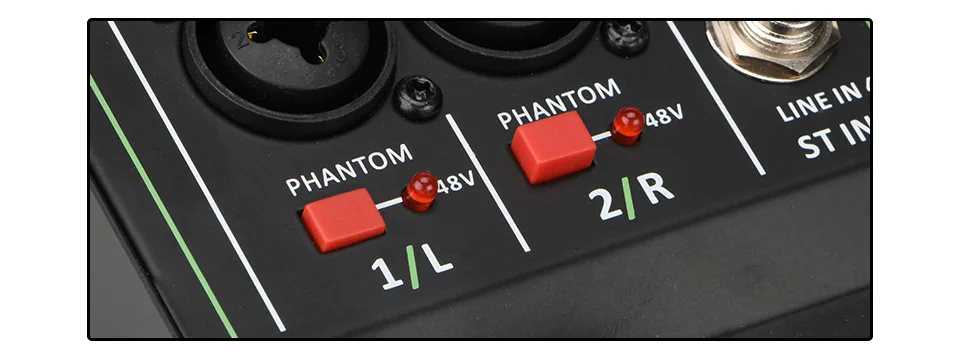
1. Phantom power is only for XLR socket.
2. You can use +48V condenser microphone and dynamic microphone through XLR socket at same time.
3. Connection with dynamic microphone
1) We recommend using XLR cable to connect mic to mixer. If you use 6.3 plug,the volume will be small.
2) Please do not power on +48V phantom power, otherwise the power maybe burn the dynamic microphone.

4. Connection with +48V condenser microphone
1) If your condenser microphone supports +48V, please power on +48V phantom power.
2) If your condenser microphone does not supports +48V, you can not use the microphone.


1. It determines the channels input gain.
2. If you adjust the knob to the max, it will increase the noise too. Please do not adjust to the max if it is not necessary.
Light will be on when the volume of input and or post-equalizer sound is too high. If it is lit, turn the [Gain] knob to the left to lower the volume.

Button is bounced up: [MONO].
Sound input to channels 1/L or 2/R can be heard from both the right and left speakers. If you use the 1/L or 2/R individually, set the switch to this setting.
Button is pressed down:[STEREO].
Sound input to channel 1/L can be heard from only the left speaker , and the sound input to channel 2/R can be heard from only the right speaker.

Line input signals : Button is bounced up.
U-disk/bluetooth/pc input signals: Button is pressed down.
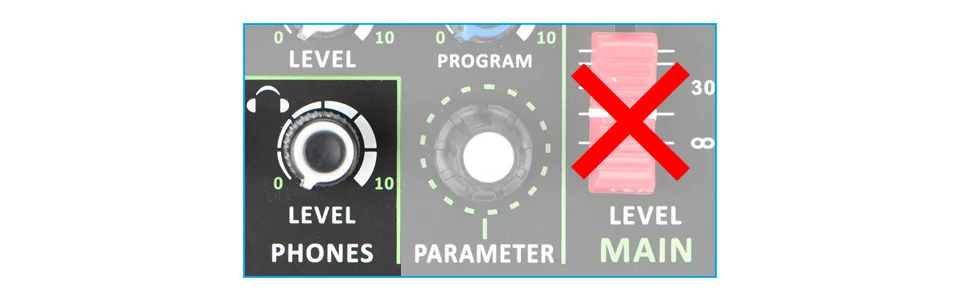
1. [LEVEL PHONES] Knob can adjust the volume of headphone.
2. [MAIN OUT] fader do not control the volume of the headphone.
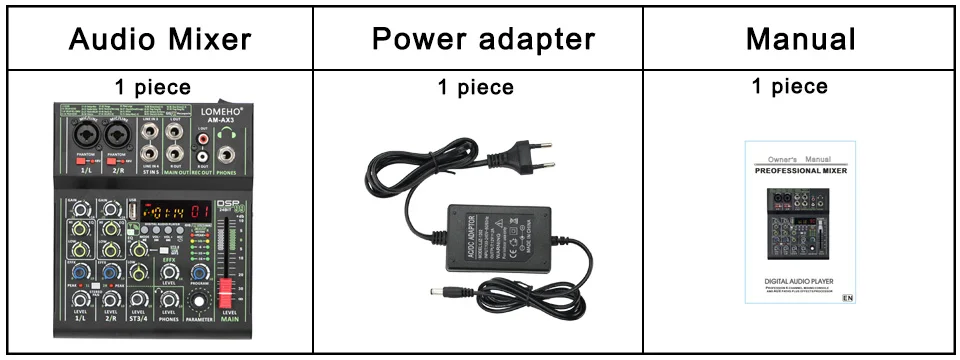
Audio mixer 1 pc .
Power adapter 1 pc .
Manual 1 pc .
2. Size and packing.
Electrónica
$98.17
Envío gratis
Electrónica
$211.28
Envío gratis
Electrónica
$159.82
Envío gratis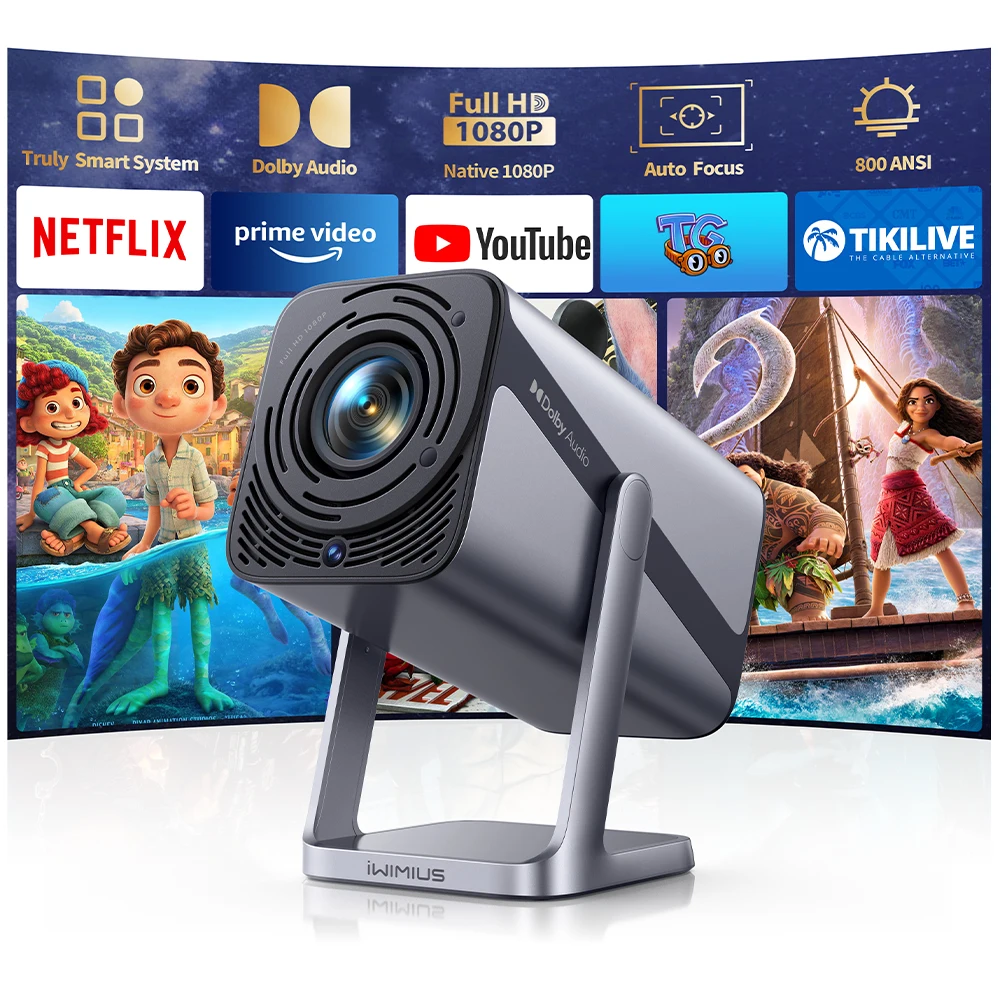
Electrónica
$161.96
Envío gratisAún no hay reseñas. Si compraste este producto, deja la primera.
Inicia sesión para dejar una reseña si ya compraste este producto.